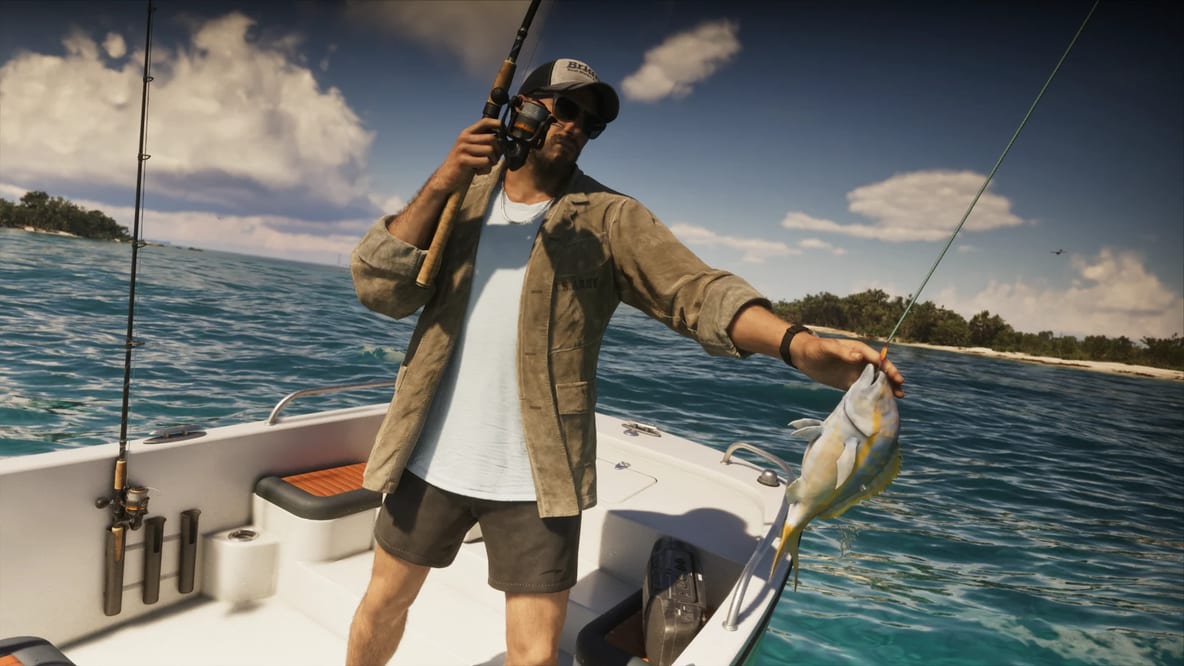
Fishing in GTA 6 combines careful casting, patient hook timing and controlled reeling. The early story mission Recalibration introduces the activity, teaching Jason how to place a lure, hook a fish and bring it in.
Jason’s starting tackle includes a Fishing Rod, a Small Freshwater Lure and a Small Saltwater Lure. The dock near the Key Lento safehouse provides a convenient place to practice. A boat gives you access to wider water and marked fishing areas when you are ready to pursue specific catches.
How to Equip the Fishing Rod
Move near a dock, shoreline or boat before selecting your equipment. The Fishing Rod shares an equipment section with items such as binoculars and the flashlight.
- Hold L1 on PlayStation or LB on Xbox to open the equipment wheel.
- Use the Right Stick to select the equipment section.
- Cycle through the available items with L2/R2 or LT/RT.
- Release the wheel button with the Fishing Rod selected.
Follow the prompts shown during Recalibration if you are still progressing through the tutorial. Once the rod is available for free exploration, you can return to accessible water to practice.
GTA 6 Fishing Controls
| Action | PlayStation | Xbox |
|---|---|---|
| Open equipment wheel | Hold L1 | Hold LB |
| Aim the rod | Hold L2 | Hold LT |
| Prepare the cast | Hold R2 | Hold RT |
| Cast the lure | Release R2 | Release RT |
| Set the hook | Press R2 after a strong bite | Press RT after a strong bite |
| Resist the fish | Left Stick opposite its movement | Left Stick opposite its movement |
| Reel in the line | Rotate Right Stick | Rotate Right Stick |
| Activate Focus | Press both sticks | Press both sticks |
| Change lure | D-pad left or right | D-pad left or right |
The right trigger controls both casting and hooking, but the timing differs. Hold and release it to cast. Press it again after a firm bite to secure the fish.
How to Cast Toward Active Fish
Activate Focus to identify glowing patches of fish in the water. Position yourself so you can cast into the patch, then adjust the casting charge to reach it.
Retrieve the lure slowly through the active area. A light vibration can indicate that a fish is investigating the lure, so keep waiting. Set the hook when a stronger shake signals a firm bite.
A well-placed cast gives you a clearer opportunity than repeatedly throwing toward empty water. If the lure lands outside the active patch, retrieve it and adjust your aim or casting distance.
How to Reel In a Fish
Once the fish is hooked, push the Left Stick against its direction of movement. Pull right when it swims left and left when it swims right.
During a strong pull, concentrate on resisting rather than reeling. When the fish pauses, rotate the Right Stick quickly to recover line. Repeat this cycle until it reaches Jason’s boat or the shoreline.
Larger fish may require several rounds of resistance and recovery. Keep your inputs deliberate and watch for the change between active struggling and a brief pause.
After landing the catch, check the displayed species and weight. A heavier fish may update your record for that species, while a challenge can require an additional photograph.
Freshwater and Saltwater Lures
Select your lure before casting and match it to the water you are fishing.
| Lure | Suitable locations |
|---|---|
| Small Freshwater Lure | Rivers, lakes and inland waterways |
| Small Saltwater Lure | Bays, coastal channels and ocean areas |
| Additional tackle | Larger or specialized fish that require another lure |
The fishing supply shop near Key Lento offers extra tackle, including a Medium Saltwater Lure. Review the available options when preparing for a larger catch.
If the current lure receives little interest, check the water type and reposition near an active fish patch before trying again.
How to Complete Cal’s Bigger Fish Challenge
Cal’s challenge asks Jason to catch a Stoplight Parrotfish weighing more than 2 pounds. Read his message to locate the purple fish marker, then take a boat to the designated area.
Equip the rod, choose suitable saltwater tackle and activate Focus. Cast toward a glowing patch inside the marked zone. Wait for a firm bite, set the hook and use the same resist-and-reel rhythm to land the fish.
Check both the species and weight after the catch. Once you have a qualifying Stoplight Parrotfish, follow the camera prompt to photograph it for Cal.
Stay within the challenge area while making further attempts. Adjust the boat position or casting distance to reach another active patch without leaving the target zone.
Story Progress and Fishing Preparation
The fishing tutorial, available tackle and Cal’s message help determine which activity you can pursue next. Complete the tutorial before planning a species-specific challenge, then check the map for its associated marker.
Players comparing GTA 6 Accounts can review the listed story progress and inventory to see which fishing activities are available. If you choose to buy GTA 6 Accounts, check whether Jason has access to the Fishing Rod, suitable lures and the relevant challenge before planning your route.
GTA 6 Fishing Technique: Casting, Hooking and Reeling
Use the Key Lento dock to establish a consistent casting distance and get familiar with bite vibrations. Choose an active patch, retrieve the lure slowly and wait for the stronger shake before hooking.
While the fish fights, resist its movement with the Left Stick. Recover line during each pause, then return to resisting as soon as it pulls again. For Cal’s objective, check the catch weight and use the photograph prompt when your Stoplight Parrotfish exceeds 2 pounds.